Help & FAQ
Last updated: 2026-03-17
Help & FAQ
Everything you need to know about posting trades, subscriptions, archived ideas, and how ChartsandSetups works.
What is ChartsandSetups?
ChartsandSetups is a platform for documenting real trades — not predictions. Every post becomes part of your track record.
How is this different?
Most platforms allow edits after the fact. Here, trades are locked to preserve accuracy and trust.
- Create an account
- Verify your account
- Start exploring or posting your own trades
Once verified, you can publish trade ideas and potentially earn from your audience.
- Go to NEW IDEA
- Paste TradingView link (auto-fill supported)
- Add entry, stop, targets
- Upload media if needed
- Choose free or paid
- Set expiry date (required)
- Publish
Supported formats include text, images, videos, and voice.
Why can’t I edit my trade?
Because this isn’t about looking right — it’s about being right.
Core trade data (entry, stop, targets, chart) is locked after posting to prevent fake results.
What can I still update?
- Add notes
- Post updates
- Upload after charts
The story evolves. The data doesn’t.
What is an archived trade?
A trade becomes archived after its expiry date and is treated as final.
Can I edit it?
No. Archived trades are locked permanently.
Can I delete it?
No. Otherwise users could remove losses and keep wins.
Who can edit?
Admins only (for abuse, errors, etc).
You can subscribe to traders, send tips, and unlock premium content via Stripe.
- Monthly subscriptions
- Paid posts
- Tips
- Bundles
Subscriptions can be cancelled anytime.
Creators can request withdrawals when eligible.
- PayPal
- Bank Transfer
All withdrawals are manually processed.
You can report users or content via the three-dot menu across the platform.
Admins review all reports and take action when needed.
You can also block users.
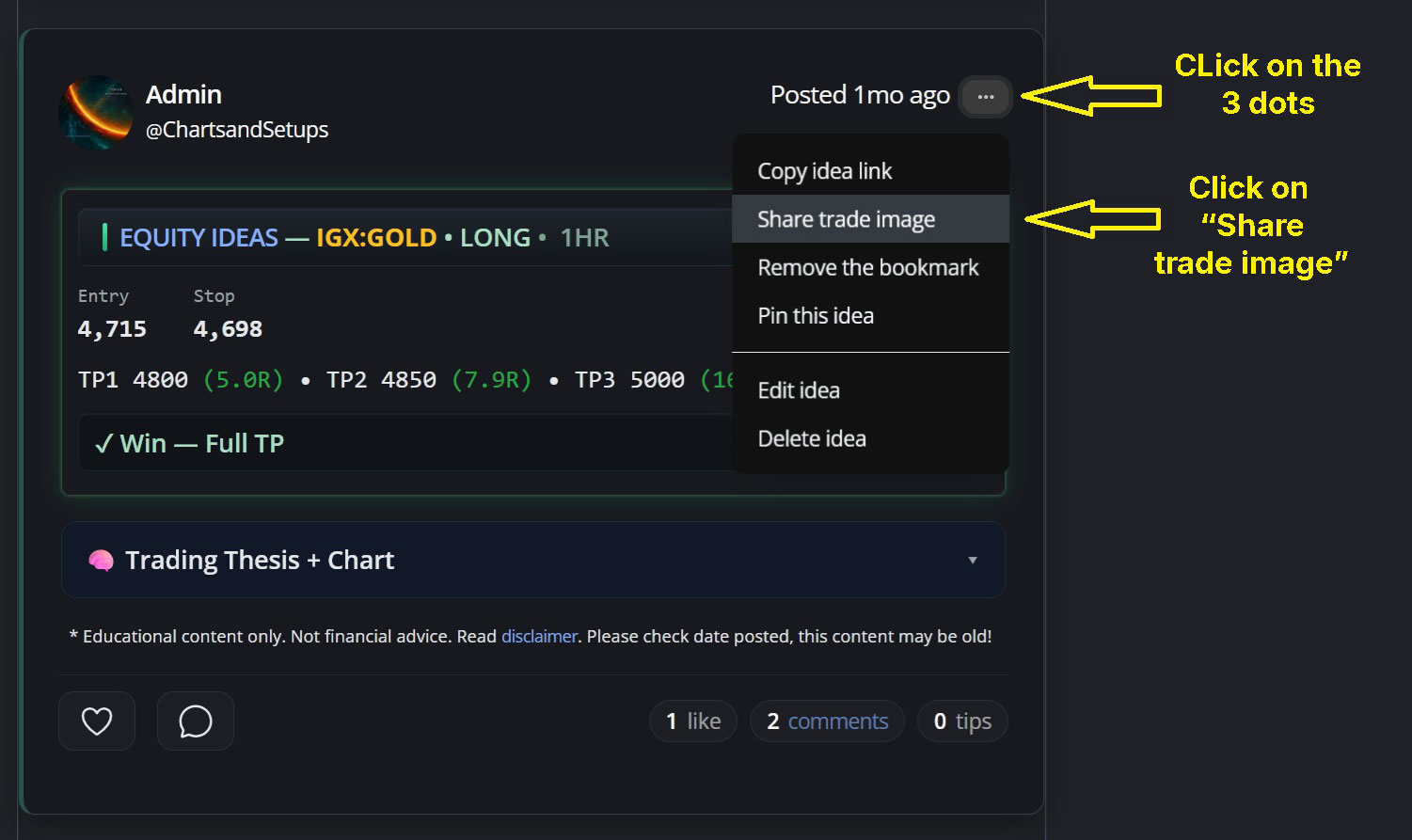
Each trade card includes:
- Posted date (click to open trade)
- Three-dot menu (actions)
Use the menu to copy links, share, bookmark, or report.
See image below about what you see when clicking on the 3 dots and for this example, then clicking on the "Share trade image" link:
 >
>
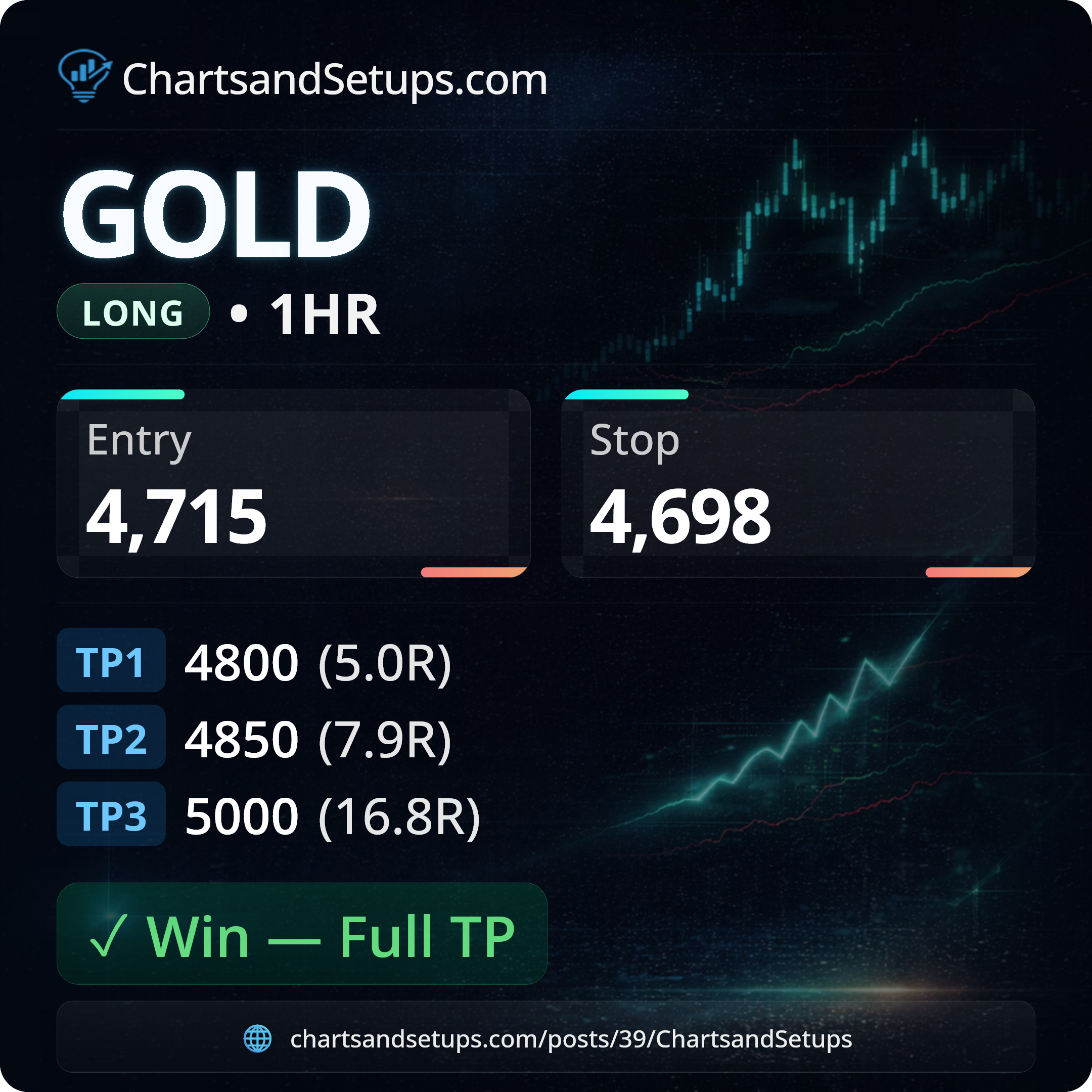
And this is an example of what will be downloaded to your own device:
 >
>
Document trades. Not predictions.
No hindsight. No edits. No cleanup.
Just real trades — win or lose.